
Your CRM software is a game-changer. It helps sales teams ditch the sticky notes, stop losing leads, and finally get a clear view of their pipeline. Yet, you’re constantly battling an overwhelming market. Prospects are drowning in options, often defaulting to the biggest names out of sheer decision fatigue, or worse, sticking with messy spreadsheets because “the switching cost isn’t worth it.”
You’re probably thinking, “How do I cut through that noise? How do I convince a sales team that my CRM isn’t just another piece of admin work, but a tool that genuinely helps them close more deals?”
The answer lies in video advertising. But not just any video – targeted, compelling video ads that speak directly to your audience’s pains and show them a clear path to their desired results. And here’s the best part: you don’t need a huge budget, a film crew, or even to be on camera yourself. You can create CRM software video ads in minutes using powerful AI tools.
This guide will walk you through exactly how CRM software companies and founders can leverage video to attract a consistent pipeline of qualified demo requests, even if you’re competing against giants like Salesforce and HubSpot.
Why Your CRM Needs Video Ads (Beyond the Obvious)
Many B2B software founders make the mistake of ignoring video as an acquisition channel, assuming their buyers only respond to cold outbound or detailed whitepapers. This couldn’t be further from the truth. In a crowded market, video is your secret weapon for connection, clarity, and conversion.
Overcoming Market Saturation and Decision Fatigue
The CRM market is dense. Your prospects are overwhelmed by hundreds of options, and their biggest fear might be being permanently stuck as a “me too” product in a market dominated by incumbents. Video allows you to immediately differentiate. Instead of just listing features, you can show how your CRM solves a specific problem better than anyone else.
Imagine a quick 30-second ad that starts with a hook like, “Your sales team is losing deals right now because of this one broken process.” Then, it visually demonstrates how your CRM fixes that broken process, instantly making you stand out from the generic “all-in-one” pitches. Video cuts through the noise, making your unique value proposition immediately apparent to a fatigued buyer.
Demonstrating ROI Visually
One of the biggest problems CRM companies face is the difficulty in demonstrating ROI. Most businesses don’t properly track what their lack of a CRM (or a bad one) is actually costing them. Video makes the abstract concrete.
Instead of just telling prospects they’ll be more efficient, you can show a sales rep’s chaotic morning with sticky notes and lost leads versus a streamlined, productive morning with your CRM. You can feature a customer who increased their close rate by a measurable percentage after switching from spreadsheets or a legacy CRM. These visual narratives are far more impactful than a bulleted list of benefits on a landing page and directly address the objection, “How is this different from the 200 other CRMs on the market?”
Engaging Skeptical Sales Teams
A common objection is, “My sales team won’t use it – they barely use the CRM we have now.” Sales teams often resist adopting new CRMs because they see it as admin work that slows them down. Video is perfect for addressing this head-on.
You can create video ads that showcase the simplest, most intuitive parts of your interface, highlighting how your CRM helps them close deals faster, automates tedious tasks, and makes their lives easier, rather than just adding more data entry. A quick 90-second setup video can demonstrate how fast a new user can import contacts, create a pipeline, and start tracking deals, easing fears about long implementation timelines and data migration headaches.
The “No-Camera, No-Problem” Approach to CRM Video Ads
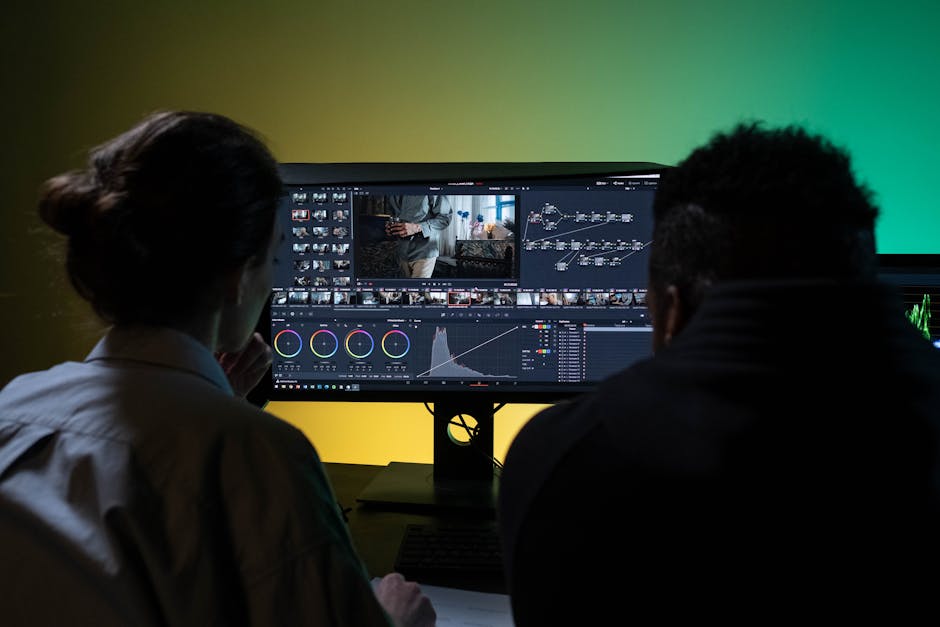
The idea of creating video ads might conjure images of expensive studios, actors, and endless editing. But thanks to advancements in AI, you can now create video ads without a camera and bypass all those traditional hurdles.
Leveraging AI Video Generators for Speed and Scale
AI video generators are revolutionizing how businesses, especially SaaS founders, approach video advertising. Platforms like Alters allow you to transform text scripts into professional-quality videos using AI presenters and realistic voiceovers. This means:
- Speed: Go from script to video in minutes, not days or weeks. This is how you truly create CRM software video ads in minutes.
- Cost-Effectiveness: Eliminate the need for actors, camera equipment, lighting, and complex post-production.
- Consistency: Maintain a consistent brand voice and visual style across all your ads.
- Scalability: Easily generate multiple ad variations for A/B testing without breaking the bank.
These tools are a game-changer for CRM companies looking to quickly test different messaging and ad angles without significant upfront investment. They act as your personal AI video ad generator.
Crafting Compelling Scripts (Even Without a Director)
Even if you’re not on camera, a strong script is paramount. For CRM software video ads, focus on the problem-solution framework. Think about the specific pains your target audience experiences daily:
- Lost leads due to poor follow-up.
- Wasted time on manual data entry.
- Lack of visibility into sales pipeline.
- Difficulty forecasting revenue accurately.
Then, show how your CRM is the elegant solution. Consider these proven ad angles for CRM software:
- Before & After: Show a sales rep’s day with vs. without your CRM – the morning chaos of sticky notes and lost leads transforms into a clean pipeline with automated follow-ups.
- Customer Spotlight: Feature a customer (using text overlays or an AI presenter narrating their story) who achieved a measurable increase in close rates after switching.
- Quick Setup Demo: Do a live 90-second setup (screen recording) showing how fast a new user can import contacts, create a pipeline, and start tracking deals.
For more detailed script ideas, check out our CRM software video ad script templates.
Step-by-Step: Create CRM Software Video Ads in Minutes with AI
Ready to dive in? Here’s how you can leverage AI to create CRM software video ads in minutes and start driving qualified leads.
Step 1: Define Your Target Pain Point & Desired Outcome
Don’t try to be a CRM for everyone. Instead, build deeply for one industry or company size. Your video ad should reflect this focus.
- Identify the Core Pain: What’s the single biggest problem your CRM solves for your ideal customer? Is it prospects being overwhelmed and defaulting to big names? Sales teams resisting adoption? The real cost of lost deals from poor follow-up? Focus on one specific pain. For example, “The average sales rep wastes 5.5 hours a week on CRM data entry – unless they use this.”
- Articulate the Desired Result: What’s the immediate, tangible benefit they’ll experience? “Consistent pipeline of qualified demo requests,” “high activation rates,” or “increased close rates by X%.”
- Focus, Don’t Overwhelm: Your ad should focus on 1-3 core capabilities that genuinely move the needle for buyers, not showing off 50 features in a demo.
Step 2: Choose Your Video Ad Angle & Hook
The first few seconds of your video are critical. Your hook needs to grab attention and resonate with the pain point you identified in Step 1.
Consider these powerful hook styles tailored for CRM software:
- “Your sales team is losing deals right now because of this one broken process.”
- “We tracked what happens when a lead goes 48 hours without follow-up – the data is brutal.”
- “If your CRM feels like homework for your sales team, you’re using the wrong one.”
Pair your hook with an ad angle. For instance, if your hook is about losing deals, your angle might be a “before & after” scenario, visually showing how your CRM prevents that loss. For more inspiration, explore our CRM software video ad hook library.
Step 3: Write a Concise, Problem-Solution Script
Keep your script tight and to the point – ideally 30-90 seconds long for social media platforms.
Here’s a simple structure:
- Hook (0-5 seconds): Grab attention with a pain point or bold statement.
- Problem (5-15 seconds): Elaborate on the pain, making it relatable.
- Solution (15-45 seconds): Introduce your CRM as the answer, highlighting 1-2 key benefits.
- Proof/Benefit (45-60 seconds): Briefly explain how it works or show a quick result.
- Call to Action (60-90 seconds): Tell them exactly what to do next.
Example Script Snippet (for a CRM focused on follow-up automation):
- Hook: “Did you know 80% of sales require 5+ follow-ups? Most teams give up after two.”
- Problem: “If your sales reps are manually tracking every touchpoint, leads are slipping through the cracks. Revenue is being left on the table.”
- Solution: “That’s where [Your CRM Name] comes in. We automate intelligent follow-up sequences, ensuring no lead is ever forgotten.”
- Benefit: “Imagine your team spending less time on admin, more time closing. One customer saw a 30% increase in qualified meetings in their first month.”
- CTA: “Ready to stop losing leads? Start your free trial today.”
Step 4: Generate Your Video Using an AI Platform (like Alters)
Now for the magic! This is where you truly create CRM software video ads in minutes without needing a camera.
- Choose Your Platform: Head over to an AI video ad generator like Alters.
- Input Your Script: Paste your concise script into the platform.
- Select an AI Presenter: Browse through a library of diverse AI avatars. Choose one that aligns with your brand’s professionalism and target audience.
- Customize Voiceover: Select from various AI voices, accents, and tones. Many platforms allow you to fine-tune the pacing and emphasis.
- Add Visuals: This is crucial for CRM software.
- Screen Recordings: Integrate crisp screen recordings of your CRM in action. Show specific features that solve the pain point you highlighted. For example, a quick demonstration of setting up an automated follow-up sequence, importing contacts, or viewing a clean pipeline dashboard.
- Stock Footage/Images: Use relevant stock visuals to complement your message, especially during the hook and problem-setting phases.
- Text Overlays: Reinforce key statistics, benefits, or your brand name with on-screen text.
Using an AI tool like Alters, you can seamlessly combine your script, an AI presenter, and your product’s screen recordings to create a compelling video that looks professionally produced, all without ever stepping in front of a camera. Learn more about how to get started with AI video ads for CRM software.
Step 5: Add Visuals, Music, and a Strong CTA
- Background Music: Select royalty-free background music that matches the tone of your ad (e.g., upbeat for a problem-solving vibe, calm for a testimonial).
- Call to Action (CTA): Your CTA needs to be crystal clear and compelling. Use the niche-specific CTA patterns that resonate with CRM buyers:
- “Start your free trial and import your first 100 contacts in under 5 minutes.”
- “Book a 15-minute demo tailored to your industry and see why teams switch from spreadsheets in the first week.”
- “Try it free for 14 days – if your team doesn’t love it, we’ll help you export everything back out.”
Ensure your CTA is visible on screen and spoken by the AI presenter. This dual reinforcement drastically improves conversion rates.
Optimizing Your CRM Video Ads for Maximum Impact

Creating the video is just the first step. To ensure your CRM software video ads generate a consistent pipeline of qualified demo requests, you need to optimize.
A/B Testing Your Hooks and CTAs
Don’t settle for your first attempt. The beauty of creating video ads quickly with AI is that you can easily generate multiple versions to test.
- Test Different Hooks: Does “Your sales team is losing deals right now…” perform better than “The average sales rep wastes 5.5 hours a week…”?
- Test Different CTAs: Does a “Start Free Trial” button convert better than “Book a Demo”?
- Test Ad Angles: Does a “before & after” scenario outperform a quick product setup video?
Small tweaks can lead to significant improvements in your customer acquisition costs (CAC).
Targeting the Right Audience on Meta, YouTube, and LinkedIn
Your CRM video ads need to reach the right people. Leverage the targeting capabilities of major platforms:
- Meta (Facebook/Instagram): Great for targeting small-to-midsize business owners and sales managers based on interests, job titles, and company size.
- YouTube: Ideal for reaching B2B decision-makers who are actively researching solutions. Target based on keywords they search, videos they watch, or specific channels.
- LinkedIn: The premier platform for B2B targeting. Focus on specific job titles (e.g., “Sales Manager,” “Head of Sales,” “Business Owner”), industries, and company sizes.
Remember, your goal is a consistent pipeline of qualified leads, not just any leads. Tailor your ad creatives and messaging to the specific platform and audience segment.
Addressing Common Objections Head-On
Use your video ads to pre-empt common objections your prospects have.
- “We’re already on Salesforce/HubSpot – the switching cost isn’t worth it.” Create an ad that subtly highlights the specific frustrations users have with those platforms (e.g., complexity, hidden costs, lack of specialization) and positions your CRM as the simpler, purpose-built alternative.
- “My sales team won’t use it.” As mentioned, showcase the intuitive UI and how your CRM saves them time, not adds to their workload.
- “We’re too small to need a CRM right now, maybe next year.” Demonstrate the immediate, tangible cost of not having a CRM, like lost deals from poor follow-up, connecting their current “spreadsheet chaos” to real revenue loss.
Cost Comparison: DIY Video vs. AI Video Generators vs. Agency
Understanding the investment required for video advertising is crucial. Here’s a quick comparison of typical costs and time commitment for creating CRM software video ads:
| Method | Estimated Cost (Per Video) | Time to Produce (Per Video) | Flexibility & Scalability | Ideal For |
|---|---|---|---|---|
| DIY (In-house, no AI) | $500 - $2,000+ | 1-3 weeks | Low to Medium | Small budgets, founders willing to learn editing, but slow for A/B testing. Requires camera, lighting, microphone, and editing software skills. |
| AI Video Generator (e.g., Alters) | $50 - $300 (per video, often subscription-based) | 30 mins - 2 hours | High | Rapid prototyping, A/B testing, creating many variations quickly, creating video ads without camera, founders who want professional results without the hassle. Excellent for create crm software video ads minutes. |
| Video Agency | $3,000 - $15,000+ | 4-8 weeks | Low | High-budget campaigns, complex creative concepts, broadcast-quality needs. Less ideal for agile testing or startups with limited resources. |
As you can see, AI video generators offer a compelling balance of cost, speed, and quality, making it entirely feasible to create CRM software video ads in minutes and compete effectively, even against incumbents with larger marketing budgets.
What to Do Next: Launch Your First CRM Video Ad Campaign
The era of “set it and forget it” marketing for B2B SaaS is over. To stand out in the crowded CRM market and secure a consistent pipeline of qualified demo requests, you need to be agile, compelling, and omnipresent where your audience is. Video advertising, especially when supercharged by AI, provides that competitive edge.
You no longer have an excuse to ignore video as an acquisition channel. You can literally create CRM software video ads in minutes without ever needing to be on camera. Start by identifying that single biggest pain point your CRM solves, craft a concise script, and then use an AI platform like Alters to bring it to life with screen recordings of your product in action.
Don’t let the fear of being permanently stuck as a “me too” product hold you back. Start experimenting with video ads today and watch your demo requests grow. Your next wave of customers is waiting to see how your CRM can transform their sales process.